
Complete Rhythm Trainer
Binary Guilt SoftwareMusic
4.6191.00 Reviews
- Version
- 1.7.4-126 (121126)
- Installs
- 500.00K
- Age Rating
- Everyone
Screenshots
Our Review of Complete Rhythm Trainer
 Analysis by Appyee
Hey there, fellow rhythm enthusiasts! Today, I’m diving into the world of beats and grooves with an app that I’ve been playing around with for a while now. It’s called Complete Rhythm Trainer, and let me tell you, it’s like having a personal rhythm coach right in your pocket. Whether you’re a newbie just getting your feet wet or a seasoned musician looking to sharpen those skills, this app has something for everyone.
A practice tool for the moments between lessons
The biggest reason I’d keep a rhythm trainer on my phone is convenience. A full practice session isn’t always realistic: sometimes I have a few minutes before rehearsal, or I want to work on timing while waiting for a lesson to start. Short, focused work is a better fit for those gaps than opening a broad music course and trying to decide what to study. I’d use this kind of app to turn a spare moment into deliberate practice, then bring the result back to my instrument.
It is especially useful if you already know what feels unreliable. Maybe your hands rush through a syncopated figure, or a triplet pattern falls apart as soon as you stop counting aloud. Rather than playing a whole piece from the beginning and hoping the weak spot improves, I can focus on one rhythmic idea, repeat it, and listen more carefully to where my sense of pulse drifts. The practical value is not that a phone replaces a teacher; it gives you a way to arrive at a lesson or rehearsal with a more specific question.
I would also recommend keeping expectations grounded. Rhythm practice can reveal a problem, but it does not automatically tell you why it happens in your body or how to change your technique. If a pattern remains uncomfortable, slow work at your instrument and feedback from a teacher may be more useful than another run through an exercise. The app works best as a focused supplement, not a complete music education.
Getting Started with Complete Rhythm Trainer
First things first, let’s talk about the setup. Getting Complete Rhythm Trainer up and running is a breeze. Available for both Android and iOS, you can easily find it on your respective app store. After a quick download and installation, you’re greeted with a clean and intuitive interface that’s really inviting.
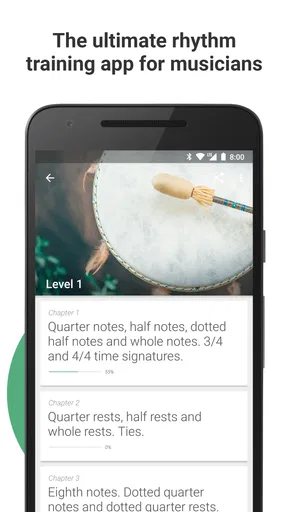
What I love about this app is how it caters to different skill levels. You can choose from various modes that suit your current abilities and goals. Whether you want to learn the basics or tackle complex rhythms, this app’s got you covered. The onboarding process is smooth, with a helpful tutorial that guides you through the features, making sure you don’t feel lost.
How it feels beside other ways to practise
Compared with a standard metronome, a structured rhythm game asks for more than staying with a click: it gives practice a target and makes you respond to patterns. That distinction matters when I’m trying to identify whether I can recognize and reproduce a rhythm, rather than simply keep a steady beat while playing something familiar. A metronome remains the better choice when I need to work on tempo stability during a full piece, because it can sit in the background while I practise the music itself.
It also occupies a different space from video lessons and notation tutorials. Those can explain concepts in depth, demonstrate phrasing, or connect a rhythm to a musical style. A focused exercise is more useful when I already understand the idea and need repetitions. I wouldn’t choose a rhythm trainer to learn an instrument from scratch, but I would use it alongside lessons or repertoire work to isolate timing skills that are easy to overlook when attention is divided between notes, fingering, and expression.
One useful habit is to decide on a single practice question before opening the app. “Can I recognize this pattern?” is more actionable than “I should get better at rhythm.” After a session, I can test the same idea on my instrument without the screen, then notice whether the improvement carries over. That small transfer check helps prevent a good exercise result from being mistaken for confident timing in every musical situation.
Diving into the Features
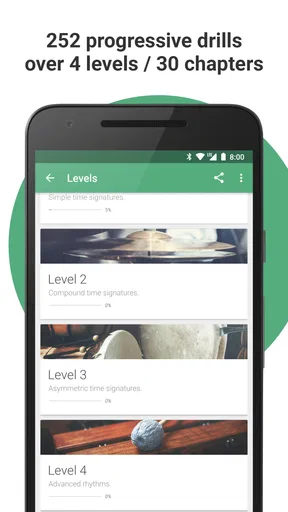
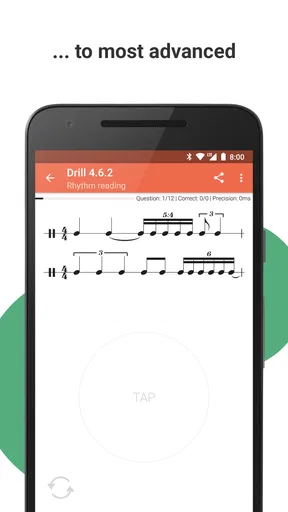
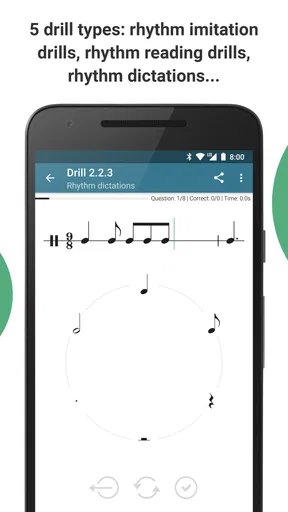
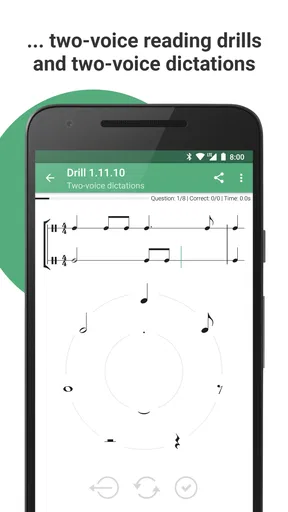
Now, let’s get into the nitty-gritty of what this app offers. One of the standout features is the comprehensive collection of rhythm exercises. I mean, we’re talking about everything from quarter notes to polyrhythms. The exercises are well-structured and progressively get more challenging, which is perfect for building your skills incrementally.
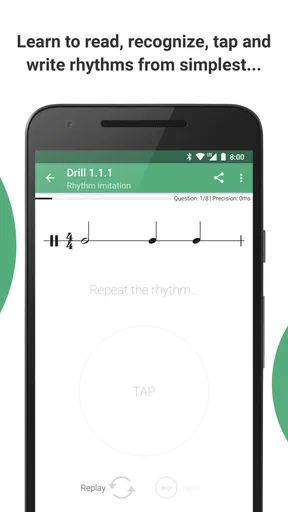
The app also includes a handy metronome feature. It’s not just your average metronome; you can customize it to different time signatures and tempos, helping you practice precisely what you need. And if you’re someone who learns better visually, you’ll appreciate the visual aids that show rhythm patterns in an easy-to-understand format.
Reading the rhythm, not just reacting to it
When a pattern is displayed visually and paired with sound, I find it useful to separate two questions that are often blurred together: can I understand what I’m seeing, and can I perform it steadily? If I miss an exercise, I would avoid immediately repeating it at speed. First I’d count the subdivision, then tap or clap it away from the instrument, and only then try again. That sequence can make a difficult rhythm feel less like a reflex test and more like a learnable musical phrase.
There is a trade-off, though. Visual prompts are helpful for connecting notation to timing, but they can also become a crutch if I stare at the screen throughout practice. To make the work carry over, I’d look away once I understand the pattern, count it aloud, or try it on my instrument without following every visual cue. The goal is not to become fast at reading a phone; it is to internalize the rhythmic relationship well enough to recognize it in real music.
Interactive Learning Experience
What sets Complete Rhythm Trainer apart is its interactive approach to learning. It’s not just about passive listening; you’re actively engaging with the exercises. The app gives you immediate feedback on your performance, which is incredibly motivating. It’s like having a teacher who’s always ready to point out where you’re nailing it and where you might need a bit more practice.
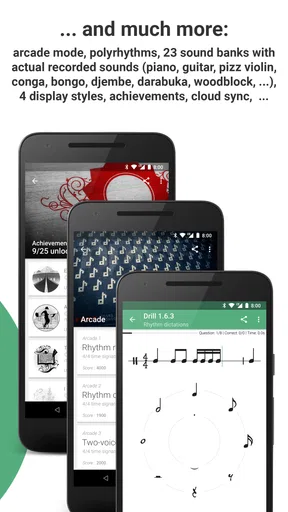
Another cool feature is the ability to track your progress. You can see how you’ve improved over time, which is super rewarding. Plus, there are achievements to unlock, adding a fun gamified element to the learning process. It’s these little things that keep you coming back for more.
Keeping feedback useful instead of chasing a score
Immediate feedback is most valuable when I treat it as a clue, not a verdict. If an exercise goes badly, I can ask whether I lost the pulse, misread the pattern, or simply tried to move too quickly. If it goes well, I can still check whether I could repeat it after a short pause. That kind of reflection makes progress tracking more meaningful than tapping through attempts just to see a streak of success.
The game-like rewards can help me return to practice, but they can also tempt me to prioritize completion over understanding. I’d set a modest goal for a session—one pattern or one kind of subdivision—and stop once I can explain what changed. That is a better measure of a useful practice break than unlocking another achievement. If you already find game mechanics distracting, this style may feel less calm than a plain metronome or a paper exercise.
Customizing Your Practice
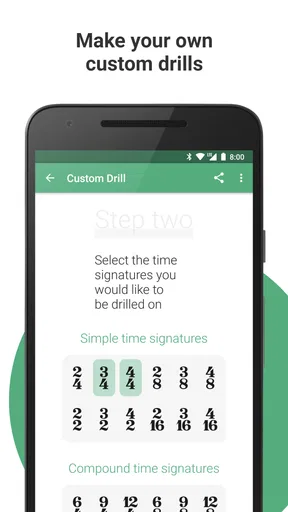
If you’re like me and love to tailor your learning experience, you’ll appreciate how customizable the app is. You can create custom exercises that focus on specific areas you want to improve. Whether it’s tricky syncopations or those elusive triplets, you can design a practice session that targets your personal goals.
And for those moments when you want to go off the beaten path, there’s a free practice mode. This feature lets you experiment and hone your skills without the constraints of structured exercises. It’s a great way to apply what you’ve learned and get creative with your rhythms.
A small routine that fits an ordinary day
For example, if I have a few minutes before an evening rehearsal, I’d choose a rhythm that has been causing trouble, work through it at a manageable pace, and then clap it once without relying on the display. At rehearsal, I could listen for that same feel in the music instead of waiting until I stumble over it. This is a realistic use for a phone-based trainer: a compact warm-up for attention and timing, not a substitute for rehearsing with other musicians.
Custom practice is particularly helpful when I can name the problem precisely. If I only know that a passage feels awkward, I may need to simplify it at my instrument first and identify the beat or subdivision that is causing the trouble. Once I have that, targeted exercises can be more efficient than cycling through material that is already comfortable. Free practice, by contrast, suits exploration and checking whether a rhythm feels natural without the pressure of a structured progression.
There is a practical limit to phone practice: tapping a screen is not identical to striking a drum, bowing a string, or coordinating both hands at a keyboard. I would use the app to sharpen recognition and pulse, then spend time transferring the result to the actual instrument. Players who need feedback on tone, physical technique, ensemble balance, or expressive phrasing will need other tools and human instruction as well.
Who will get the most from it
Complete Rhythm Trainer makes the most sense for learners who want more deliberate rhythm work between lessons, musicians preparing for an exam or rehearsal, and curious players who enjoy short, measurable exercises. Its range from basic note values to more demanding rhythmic ideas gives a beginner somewhere to start and an experienced player a reason to keep practising. Binary Guilt Software has made a music game rather than a full course, and that distinction helps set sensible expectations.
On Android, the game is free to install, with optional in-app purchases priced from $0.99 to $9.99 per item. Its age rating is Everyone, and the current version is 1.7.3-125 (121125), with Android 5.0 as the minimum requirement. It has a 4.6 average from around 4.7 thousand ratings, and more than 500 thousand installs; those figures suggest a well-established audience, though they cannot tell you whether its practice style suits you personally. I’d try the free experience first and decide from your own routine whether any paid item adds enough value.
A Few Final Thoughts
As someone who’s passionate about rhythm, I find Complete Rhythm Trainer to be a stellar tool. It’s comprehensive, user-friendly, and packed with features that make learning rhythm engaging and effective. Whether you’re preparing for a gig, trying to ace that music exam, or just having fun, this app is a fantastic companion on your musical journey.
In conclusion, if you’re serious about improving your rhythm skills, give this app a try. It’s like having a rhythm teacher on demand, anytime and anywhere. So, grab your device, download Complete Rhythm Trainer, and get ready to groove!
My take on its musical mood
For a music game, the atmosphere is deliberately practical: rhythm is the subject, and the exercises keep attention on listening, reading, and responding rather than asking me to get invested in a story or setting. That focused presentation suits quick practice. I can open it with a specific musical task in mind, work through a pattern, and leave without needing to remember a plot or manage a separate world around the lesson.
That same restraint may not satisfy someone looking for a rhythm game built around songs, a visual spectacle, or a strong sense of performance. I’d choose a song-driven game for entertainment and a dedicated practice tool when the aim is to build rhythmic understanding. Complete Rhythm Trainer sits firmly closer to the second choice, and I think that is its clearest strength as long as you want practice rather than a soundtrack-led game.
Overall, I’d keep it in my toolkit for focused work, especially when I can identify a rhythm I want to improve and have a few spare minutes to give it attention. I would not rely on it alone for musical growth, but paired with an instrument, a metronome for longer pieces, and occasional guidance from a teacher, it can make rhythm practice easier to start and more deliberate. If that sounds like the gap in your routine, it is worth giving the free version a try.
Verdict
Strengths of Complete Rhythm Trainer
- Comprehensive lessons for all skill levels.
- User-friendly interface with intuitive controls.
- Supports custom exercises and tracks progress.
- Offline mode available for practice anywhere.
- Integrates seamlessly with external MIDI devices.
Limitations of Complete Rhythm Trainer
- Limited free features before in-app purchases.
- Interface can be overwhelming for beginners.
- Some advanced features require a subscription.
- Occasional bugs in the exercise modes.
- Lacks community features for peer interaction.
Other Releases by Binary Guilt Software
View All
Complete Ear Trainer
Music4.6

Complete Music Reading Trainer
Music4.6
Similar Picks in This Category
View All
Tiles Hop Music & Ball Game
AMANOTES PTE. LTD.4.3

Magic Tiles 3™ - Piano Game
AMANOTES PTE. LTD.4.6

Real Piano
Bilkon3.7

Piano Game: Classic Music Song
Dream Tiles Piano Game Studio4.0

Smash Colors: Music Ball Rush
BADSNOWBALL HONGKONG LIMITED4.2

Piano Music Go-EDM Piano Games
Joy Journey Music Games4.5
Frequently Asked Questions
What is Complete Rhythm Trainer and how can it benefit me?
Complete Rhythm Trainer is an educational app designed to help musicians improve their rhythm skills. It offers a variety of exercises and challenges that cover different rhythmic patterns and time signatures. Users can tailor their practice sessions to focus on specific areas, making it ideal for both beginners and advanced musicians looking to refine their timing and precision.
Is Complete Rhythm Trainer suitable for beginners?
Yes, Complete Rhythm Trainer is perfect for beginners as it offers a user-friendly interface and progressive exercises. The app starts with basic rhythms and gradually increases in complexity, allowing new users to build a solid foundation. Additionally, the app provides instant feedback, helping beginners correct mistakes and improve steadily.
What features does Complete Rhythm Trainer offer to enhance learning?
Complete Rhythm Trainer includes a wide range of features such as customizable exercises, detailed progress tracking, and various sound options to simulate real instruments. The app also offers a practice mode with adjustable tempo settings, allowing users to practice at their own pace. These features collectively enhance the learning experience and keep users engaged.
Can I use Complete Rhythm Trainer offline?
Yes, Complete Rhythm Trainer can be used offline, making it convenient for users to practice anywhere without needing an internet connection. This feature is particularly beneficial for musicians on the go or in areas with limited connectivity. However, some features like updates and online leaderboards may require an internet connection.
Is there a cost associated with using Complete Rhythm Trainer?
Complete Rhythm Trainer offers a free version with basic features, but to unlock advanced exercises and additional content, a one-time purchase or subscription may be required. The app provides a cost-effective way to access a comprehensive set of rhythm training tools, catering to both casual learners and serious musicians.
Play our best games!


